
Should I Buy RAM Now or Wait? 2026 RAM and SSD Buying Guide
Quick Summary:
Should you buy RAM now or wait? Buy RAM sooner if your computer genuinely needs more memory for everyday work, gaming or a PC build you are completing now. PC DRAM contract prices are still rising, although the increases have slowed. For an optional SSD upgrade, waiting is more defensible: client SSD price increases have narrowed, and TrendForce expects prices to reach a high-level plateau in Q1 2027. That does not mean SSDs will become cheap or that shop prices will fall. If your current drive is failing or you need more space now, do not delay an essential replacement.
Table of Contents
ToggleThis guidance reflects market information available on 11 November 2026. Contract-price forecasts are not the same as the retail prices shown by shops in the United States or United Kingdom.
Key Takeaways
RAM and SSDs use different memory technologies, so their prices do not always move together.
PC DRAM contract prices continued rising in Q4 2026, but the rate of increase narrowed.
Client SSD contract prices also continued rising in Q4, although the increases slowed; a high-price plateau is expected in Q1 2027.
A plateau means prices may stabilise at an elevated level. It does not promise discounts.
Buy RAM or an SSD when a real performance, capacity or reliability problem requires it. Wait when the upgrade is optional.
Check your device’s compatibility before buying. DDR generations, RAM form factors, and SSD interfaces are not interchangeable in every system.
Why Are RAM and SSD Prices Rising?
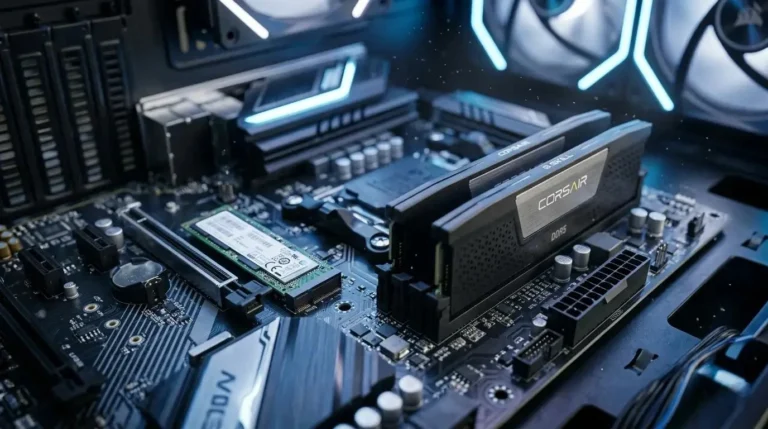
RAM and SSDs both store digital information, but they do different jobs and use different types of memory.
RAM (Random Access Memory) uses DRAM chips to hold data that a computer is actively using. It is temporary working memory.
An SSD (Solid-State Drive) uses NAND flash memory to keep files, applications and the operating system when the computer is switched off.
Both markets are affected by demand from AI infrastructure and data centres, but supply, inventories and customer demand differ between DRAM and NAND flash.
TrendForce’s 30 September 2026 outlook forecast conventional DRAM contract prices to rise by 10–15% quarter over quarter in Q4 2026, while overall NAND Flash contract prices were forecast to increase by 15–20%. These were forecasts for supplier-market contracts, not guaranteed increases in the retail price of every RAM kit or SSD.
More recent October research provides a more specific picture: PC DRAM contract prices were still rising in Q4, but the gains had narrowed. Client SSD contract prices were also rising, although their increases had narrowed markedly.
RAM vs SSD: What Is Happening to Prices?
The most important point for buyers is that RAM and SSD prices should be assessed separately.
| Market signal | PC RAM (DRAM) | Client SSD (NAND flash) |
|---|---|---|
| Q4 2026 contract-price direction | Still rising, with slower gains | Still rising, with gains narrowing |
| Latest market pressure | Suppliers are allocating more capacity to server-related products | PC demand, existing inventory, and buyer resistance are limiting price increases |
| Q1 2027 outlook | Supply pressure may continue | TrendForce expects a high-price plateau |
| Practical decision | Buy when extra memory is genuinely needed | An optional capacity upgrade can wait if your drive is healthy and has enough space |
Why RAM prices may remain under pressure
TrendForce’s 30 October 2026 DRAM research says PC DRAM contract prices continued to rise in Q4, although increases were narrowing amid negotiations. It also reported that suppliers were reducing PC DRAM output in favour of server applications, leaving the PC market undersupplied.
There is an important distinction within the DRAM market. TrendForce’s October update on consumer DRAM said contract-price gains had narrowed to flat-to-slight increases and spot prices had retreated from their peaks. That does not cancel the separate finding that PC DRAM contract prices were still rising. Different DRAM products and transaction types can show different movements.
For consumers, the practical lesson is not that every RAM kit will become more expensive every day. It is that there is no reliable evidence of a quick, broad return to older retail prices.
Why SSD prices may have more room to stabilise
TrendForce’s 29 October PC-client SSD report says contract prices continued to rise in Q4 2026, but the increases narrowed sharply. It points to weaker PC demand, existing channel and system inventories, higher overall PC component costs and resistance from buyers.
For Q1 2027, TrendForce expects seasonal weakness and additional capacity to move client SSD prices towards a high-level plateau.
A separate October update reported flat NAND wafer contract prices across several wafer categories. This does not mean all finished SSDs became cheaper. NAND wafers are an upstream component; a finished SSD also includes other manufacturing, controller, assembly, distribution, and retail costs. TrendForce’s separate client-SSD report still showed contract prices rising in Q4.
What this means: if your SSD works properly and has enough free space, postponing an optional capacity upgrade is reasonable. Do not interpret a possible plateau as a guaranteed sale or price drop.
How is AI Affecting Memory Prices?
AI data centres require large amounts of high-performance memory and storage. One important component is HBM (High Bandwidth Memory), a specialised type of DRAM used with AI accelerators.
HBM and conventional DRAM are different products, but they compete for some of the same manufacturing resources. When suppliers prioritise high-demand server and AI memory, less production capacity may be available for conventional PC memory.
This is one reason the DRAM market can remain tight even when ordinary PC buyers are cautious about spending.
For a beginner-friendly explanation, read the CST Times guide: What Is HBM Memory? The Stacked Chip Behind AI Hardware.
AI also increases demand for enterprise SSDs used in data centres. However, enterprise SSDs and consumer PC SSDs are not the same market. PC-client SSD prices are also influenced by PC sales, retail-channel inventories, and how much storage computer manufacturers choose to include in mainstream devices.
When Could RAM and SSD Prices Improve?
There is no confirmed date when all RAM and SSD products will return to previous prices. Forecasts refer to different parts of the memory market, so they should not be treated as one guaranteed price timetable.
| Period | Market outlook | What buyers should understand |
|---|---|---|
| Q1 2027 | Client SSD prices may reach a high-level plateau | Stabilisation at a high price is not the same as a discount |
| H2 2027 | TrendForce expects NAND supply conditions to become more balanced as capacity comes online | Better supply could ease pressure, but retail reductions are not guaranteed |
| Late 2027 to H1 2028 | Gartner forecasts possible DRAM price relief | This is an industry forecast, not a promise about shop prices |
| During 2028 | TrendForce expects more meaningful output from new DRAM capacity | Additional supply may help the market rebalance over time |
TrendForce’s July 2026 outlook said NAND supply constraints could ease in the second half of 2027. Its DRAM outlook was less favourable: it said meaningful production contributions from new capacity were not expected until 2028. Gartner’s October 2026 analysis separately forecast DRAM price relief from late 2027 to the first half of 2028.
These forecasts are not retail-price guarantees. Exchange rates, retailer stock, product specifications, promotions, and local demand can all affect what buyers actually pay.
What does Gartner's 130% memory-cost forecast mean?
In February 2026, Gartner estimated that combined DRAM and SSD prices could rise by 130% by the end of 2026 compared with 2025. It also forecast a 17% increase in PC prices and a 13% increase in smartphone prices.
These figures are forecasts, not confirmed measurements showing that every RAM kit or SSD has risen by 130%. They describe Gartner’s expected market-level cost pressure and should not be used as a claim about the price of a specific product in a US or UK shop.
What are buyers seeing in the US and UK?
Retail prices can move differently from supplier contract prices.
United States: Tom’s Hardware maintains separate RAM and SSD price trackers covering selected products at major US retailers. These can help compare specific models and stock, but the lowest-listed price is not a complete market-wide average.
United Kingdom: The PC Prowler UK RAM Price Index, updated on 11 November 2026, reported a 4.9% increase during October and an 11.1% increase since tracking began in March 2026. Its latest sample covered 346 prices for 258 kits across three UK retailers. This is a useful retail sample, not a survey of every UK shop.
Compare the exact product model, capacity, and specification in your own market. Check the final checkout cost, delivery, warranty and return terms rather than relying only on a headline discount.
Should You Buy RAM Now or Wait?
The right decision depends on whether your computer is genuinely short of memory.
Buy RAM now if:
Your computer repeatedly slows down when several normal applications are open.
Memory usage stays close to the available capacity during your usual workload and performance suffers.
Your work, games or software need more memory than your current system provides.
You are completing a PC build or replacing a laptop now and have confirmed the memory configuration you need.
Your laptop has non-upgradeable or soldered memory, and you are choosing its configuration before purchase.
Adding RAM can help when insufficient memory is the actual bottleneck. It will not automatically make every computer faster.
Wait before buying RAM if:
Your computer runs smoothly with its current memory.
You rarely approach the installed memory limit.
You are considering an upgrade only because you have read about a shortage.
You do not have an immediate workload or build that requires more capacity.
Do not buy a larger kit simply because prices might rise. Paying for capacity you will not use is still overspending.
Check memory usage before spending money
On a Windows PC:
Press Ctrl + Shift + Esc to open Task Manager.
Select Performance.
Choose Memory.
Use your computer normally while opening the applications you regularly need.
Check whether memory use remains high and whether the PC slows down during those tasks.
A single high reading does not prove that you need more RAM. Look for repeated memory pressure alongside real performance problems. Also review CPU and disk activity: the processor or storage drive may be the actual limitation.
Microsoft’s Windows performance guidance explains how to review resource usage in Task Manager.
Should You Buy an SSD Now or Wait?
You have more reason to wait on an optional SSD upgrade if your existing drive is healthy and has enough free space.
Buy an SSD now if:
Your current drive is failing or showing signs of hardware problems.
You cannot install essential applications, files or updates because storage is insufficient.
Your work requires more space now.
Your computer still uses a mechanical hard drive as its main system drive and an SSD upgrade is compatible.
You are building a PC now and need storage to complete it.
If a drive may be failing, back up important files before replacing it. Do not delay a necessary replacement just to speculate on future discounts.
Wait before buying an SSD if:
Your current SSD is healthy.
You have enough free storage for your usual work.
You only want extra space for a future project or game library.
The upgrade is for convenience rather than an immediate need.
Try freeing up space first
Before buying a larger drive, review what is using your current storage. Remove files you no longer need, uninstall unused applications, and move large photos or videos to another suitable storage location after backing them up.
Windows includes Storage Sense, which can remove selected temporary files and other unnecessary items. Find it under Settings → System → Storage → Storage Sense. Review the settings carefully, especially those relating to Downloads and the Recycle Bin, so that files you want to keep are not removed.
See Microsoft’s official guide: Manage drive space with Storage Sense.
How to Avoid Overspending on an Upgrade
A shortage or rising price does not make every product a good purchase. Check compatibility and actual requirements before paying.
Check RAM compatibility
Before ordering a RAM kit, confirm:
The DDR generation supported by your motherboard or laptop.
The maximum supported memory capacity.
Supported memory speeds.
The number of available slots.
Whether your laptop’s memory is soldered or replaceable.
Whether the new module will work with your existing memory configuration.
Do not choose a RAM module only because it is discounted. Check the device or motherboard manual and the manufacturer’s compatibility information. Kingston’s desktop and notebook memory support guide provides compatibility guidance and a memory configurator.
Check SSD compatibility
Confirm the supported interface, physical size and slot before buying.
M.2 describes a physical form factor; it does not automatically mean that every M.2 SSD will work in every M.2 slot.
NVMe is a storage protocol that commonly uses PCIe.
SATA is a different storage interface.
Check your laptop or motherboard documentation to confirm whether the slot supports the SSD type you intend to buy. Samsung’s internal SSD installation guide explains M.2 slot and key compatibility.
Compare the exact product, not just the discount
Compare the same model, capacity and specifications. Check the seller, warranty, delivery cost, stock status and return policy. A large advertised discount does not prove that a product is good value.
For US buyers, compare the final checkout total across retailers. For UK buyers, compare the final price in pounds, delivery and warranty terms. Avoid treating the lowest listed price as a typical market price.
RAM and SSD Buying Checklist
| Your situation | More sensible decision |
|---|---|
| Your PC repeatedly runs out of RAM during normal work | Buy compatible RAM |
| Your PC has enough memory and runs smoothly | Wait |
| You are completing a PC build now | Buy the RAM and SSD the build actually requires |
| Your current drive is failing | Back up important data and replace it |
| Your drive is nearly full | Clean up files, then reassess |
| Your SSD is healthy and has sufficient free space | Wait on the optional upgrade |
| You want extra storage for a future project | Monitor prices |
| You are buying only because prices might rise | Reconsider the purchase |
The most sensible approach is to fix a real problem rather than buying hardware out of fear that prices may increase.
Final Thoughts:
If you are asking, “Should I buy RAM now or wait?”, start with the needs of your computer rather than the latest shortage headline.
Buy RAM when insufficient memory is affecting your work or you need it for a build now. Wait on an optional SSD upgrade when your current drive is healthy and provides enough space. The latest market research suggests that PC DRAM remains under pressure, while client SSD price increases have slowed and may stabilise at elevated levels before supply conditions improve.
Before purchasing, check your actual usage, confirm compatibility and compare the exact model across retailers in your country. The best upgrade is the one that solves a real problem without making you pay for capacity you do not need.
FAQs
Will RAM prices go down in 2027?
They may eventually improve, but the timing is uncertain. TrendForce expects PC DRAM supply to remain under pressure, while Gartner forecasts possible DRAM price relief from late 2027 to the first half of 2028. Neither forecast guarantees that retail RAM kits in the US or UK will become cheaper on a particular date.
Should I buy an SSD now or wait?
Buy now if your drive is failing, storage is preventing essential work, or you need the capacity immediately. If your current SSD is healthy and has enough free space, waiting is reasonable. TrendForce expects client SSD contract prices to move towards a high-level plateau in Q1 2027, not necessarily to fall.
Why are RAM prices rising faster than some SSD prices?
DRAM supply is under pressure from AI and server-related demand, while PC DRAM production is being constrained. Client SSD pricing is also affected by NAND supply, PC demand, existing inventories and buyer resistance. As a result, the two markets can move at different speeds.
Does AI really affect ordinary computer RAM prices?
Yes, indirectly. AI servers need specialised memory such as HBM and large amounts of server DRAM. These products use manufacturing resources that also matter to the wider DRAM supply chain. When suppliers prioritise server demand, conventional PC memory supply can become tighter.
Should I upgrade RAM or SSD first?
Identify the actual problem. If your computer repeatedly runs out of working memory, investigate a RAM upgrade. If your drive is failing or you are running out of storage, investigate an SSD. If your computer still boots from a mechanical hard drive, moving to a compatible SSD may make a more noticeable difference than adding RAM. Neither component replaces the job of the other.
Is it worth upgrading from 16GB to 32GB RAM?
It depends on your workload. Check memory usage while running the games or applications you normally use. Consider 32GB when your usual tasks regularly exceed what 16GB can handle and your system supports the upgrade. Do not assume that more RAM will improve performance if your CPU, GPU, or storage is the real bottleneck.
