
CPU vs GPU vs NPU: The Simple Guide to 3 Chip Types (2026)
CPU vs GPU vs NPU: What Is the Difference?
Quick Summary:
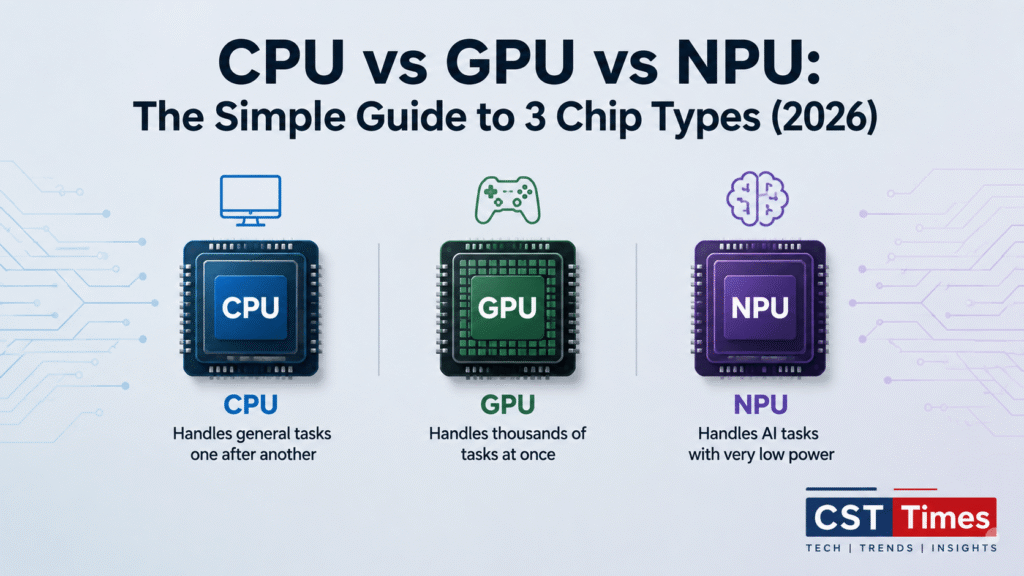
Every new laptop ad now throws around three letters: CPU, GPU, and increasingly, NPU. Here’s the short answer: a CPU handles general tasks one after another, a GPU handles thousands of similar tasks at once, and an NPU handles the specific math behind AI while using very little power. Each chip is built for a different kind of work, and most modern devices, from smartphones to gaming PCs, use all three together.
Table of Contents
ToggleThis guide breaks down what each processor actually does, how they differ in design, and why NPUs became a headline laptop feature in 2026.
Key Takeaways
- CPU (Central Processing Unit): the general-purpose “manager” of a device, best at running the operating system and everyday software.
- GPU (Graphics Processing Unit): built for massive parallel processing, used for gaming, video rendering, and training large AI models.
- NPU (Neural Processing Unit): a specialized, power-efficient chip designed only to run trained AI models on-device.
- Microsoft’s Copilot+ PC standard requires a laptop NPU rated at 40+ TOPS (trillion operations per second).
- A GPU still beats an NPU on raw AI power. The NPU’s advantage is efficiency, not speed.
Table of Contents
- What Is a CPU (Central Processing Unit)?
- What Is a GPU (Graphics Processing Unit)?
- What Is an NPU (Neural Processing Unit)?
- Why NPUs Are Suddenly a Big Deal
- GPU vs NPU for AI: Which One Actually Does the Work?
- Quick Checklist: Reading a Processor Spec Sheet
- Final Thoughts
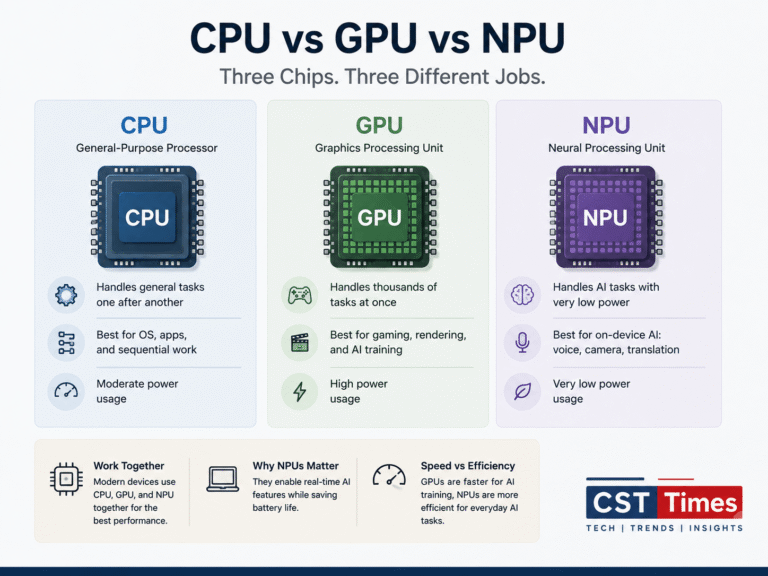
CPU vs GPU vs NPU at a Glance
CPU | GPU | NPU | |
|---|---|---|---|
| Primary job | General-purpose computing | Parallel graphics & AI training | Efficient on-device AI inference |
| Core design | Few powerful cores (2–64) | Thousands of smaller cores | Thousands of MAC units for matrix math |
| Best at | OS, apps, sequential logic | Gaming, rendering, training AI models | Real-time AI: voice, camera, translation |
| Typical precision | High (FP32/FP64) | High (FP32/FP16) | Low (INT8, sometimes INT4) |
| Power draw | Moderate | High | Very low |
| 2026 examples | Intel Core Ultra CPU cores, AMD Ryzen, Apple M-series CPU cores | NVIDIA Blackwell B200/GB200, RTX 50-series | Qualcomm Hexagon (Snapdragon X2 Elite), Intel NPU5, AMD XDNA 2 |
| Found in | Every computer and phone | Gaming PCs, workstations, AI data centers | AI PCs, smartphones, modern laptops |
What Is a CPU (Central Processing Unit)?
The CPU is the original, general-purpose processor found in every computer, phone, and server. Think of it as a skilled generalist: it can handle almost any instruction, from opening a file to running a spreadsheet formula, but it works through tasks in a fairly linear way.
Modern CPUs typically pack somewhere between 2 and 64 cores, and each core favors speed and precision over sheer numbers. This makes the CPU ideal for tasks built on quick decision-making and sequential logic, such as running the operating system, managing files, and coordinating every other chip in the device. When a laptop runs a word processor, browses the web, or juggles background apps, the CPU does most of the work.
What Is a GPU (Graphics Processing Unit)?
The GPU was originally built to render images and video game graphics, jobs that involve calculating millions of pixels at once. To do this efficiently, GPUs use a completely different design from CPUs: instead of a small number of powerful cores, they pack in thousands of smaller cores that all run the same type of calculation at the same time.
That parallel design turned out to be perfect for another job: training AI models. Neural networks are built from millions of repeated matrix calculations, exactly the kind of workload a GPU is built to chew through. That’s why AI data centers are filled with GPUs rather than CPUs. NVIDIA’s Blackwell-generation chips, such as the B200 and the rack-scale GB200 NVL72, pack hundreds of billions of transistors and link dozens of GPUs together over ultra-fast interconnects specifically to train and run today’s largest AI models.
On a personal computer, GPUs come in two forms: integrated GPUs built into the same chip as the CPU (fine for everyday graphics), and discrete GPUs like NVIDIA’s RTX series (built for gaming, 3D work, and local AI experimentation). Either way, a GPU running at full load draws noticeably more power than a CPU or NPU.
What Is an NPU (Neural Processing Unit)?
The NPU is the newest of the three, and the one most people are only now getting familiar with. It isn’t a smaller GPU. It’s a purpose-built chip designed around a single job: running already-trained AI models as efficiently as possible.
Inside an NPU are thousands of Multiply-Accumulate (MAC) units, the basic building block of the matrix math neural networks depend on. Unlike a GPU, which usually calculates in higher-precision formats, an NPU mostly works in lower-precision formats like INT8. That trade-off barely affects accuracy for most AI features, but it dramatically cuts power draw, which is why NPUs are so good at running AI continuously in the background without draining a laptop’s battery.
NPUs handle the on-device AI most people already use without thinking about it: blurring a video-call background, transcribing speech in real time, translating live captions, or recognizing a face to unlock a phone. Apple, Qualcomm, Intel, AMD, and Google now all build a dedicated NPU into their chips for exactly this purpose.
Why NPUs Are Suddenly a Big Deal
NPUs have powered phones for years, but they became a PC headline feature after Microsoft introduced its “Copilot+ PC” branding. To carry that label, a Windows laptop needs an NPU rated at 40 or more TOPS (trillion operations per second), plus at least 16GB of RAM and a 256GB SSD.
By 2026, every major chipmaker clears that bar comfortably. Qualcomm’s Snapdragon X2 Elite ships a Hexagon NPU rated at up to 80 TOPS. Intel’s Core Ultra Series 3 (“Panther Lake”) includes a 50-TOPS NPU. AMD’s Ryzen AI 300 and 400 series use an XDNA 2 NPU rated up to 50 TOPS. Apple took a different route: starting with the M5 chip, it stopped publishing a single Neural Engine TOPS figure and now spreads AI compute across accelerators built into each GPU core.
CST Times Note: TOPS numbers aren’t fully standardized between brands. Some companies publish the NPU’s number alone, while others quote a combined “platform TOPS” figure that folds in the GPU and CPU too. Intel, for example, advertises up to 180 total platform TOPS on its flagship Panther Lake chip, but only 50 of that comes from the NPU itself, the figure that actually counts toward Copilot+ certification. Always check whether a spec sheet is quoting the NPU alone.
GPU vs NPU for AI: Which One Actually Does the Work?
It’s tempting to assume the chip with the AI branding should handle every AI task, but GPUs and NPUs split the job by scale. A discrete GPU still trains AI models and runs large local language models far faster than any laptop NPU. Real-world NPU performance is also often limited less by TOPS and more by memory bandwidth, or how quickly the chip can move data in and out of RAM, which is why a high TOPS number doesn’t always translate into a noticeably faster laptop.
Where the NPU wins is efficiency on small, constant tasks. Running live captions, background blur, or on-device writing tools on the NPU costs a fraction of the power a GPU would use for the same job, which is exactly why chipmakers built a separate chip for it instead of just leaning harder on the GPU.
Quick Checklist: Reading a Processor Spec Sheet
- Look for the NPU’s standalone TOPS figure, not a combined “platform” number.
- 40+ TOPS is the floor for Windows Copilot+ features; anything above that mostly helps future-proof the laptop.
- Check RAM separately: 16GB is the Copilot+ minimum, but 32GB is worth it for heavier AI use or multitasking.
- For real AI training or large local models, prioritize the GPU’s memory (VRAM) over the NPU’s TOPS rating.
- Don’t assume “new chip” means “Copilot+ NPU.” Some newer desktop chips still ship with older, lower-TOPS NPUs.
Final Thoughts:
CPUs, GPUs, and NPUs aren’t competing for the same job, they’re splitting one. The CPU keeps the whole system running, the GPU handles heavy parallel work like graphics and AI training, and the NPU quietly runs everyday AI features without hurting battery life. Understanding what each chip is actually built for makes it much easier to read a spec sheet and buy hardware that matches what you actually plan to do with it, rather than chasing whichever number looks biggest in the ad.
What does NPU stand for?
NPU stands for Neural Processing Unit, a chip built specifically to run AI models efficiently on a device instead of in the cloud.
Is an NPU better than a GPU?
Not in raw power. A GPU still handles AI training and large AI models faster than any NPU. An NPU wins on power efficiency for smaller, always-on AI tasks.
Do I need an NPU in my next laptop?
If you want Windows Copilot+ features like live translation or on-device image generation, yes, you need an NPU rated at 40+ TOPS. If you mainly browse, write, and stream video, a laptop without one will still work fine.
What does TOPS mean?
TOPS stands for Trillions of Operations Per Second, a measure of an NPU’s peak AI throughput. It isn’t standardized across manufacturers, so comparing TOPS numbers between brands is a rough guide, not an exact science.
Can a CPU run AI models without a GPU or NPU?
Yes, but slowly. A CPU can run small AI models; it’s just far less efficient at it than a GPU or NPU built for the job.
Follow us on Social media :
About The Author

Haseeb Jabbar
Haseeb Jabbar writes about crypto, finance, technology, and AI at CST Times, sharing research-based guides, timely news, and free tools and calculators to help readers make informed decisions.

Pingback: Before OpenAI Delay GPT-6 Astra: Now GPT-6.1 Astra Cancelled
Pingback: 5 AI Stocks Under $10 to Buy in 2026 - High Growth List
Pingback: What is a Semiconductor? How Chips Work (Oct 2026)