
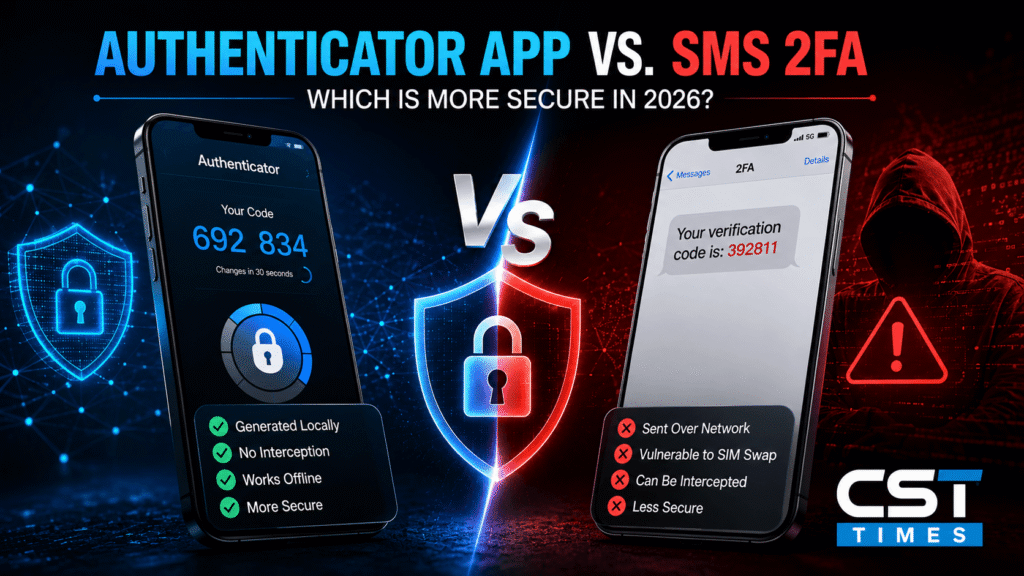
Authenticator App vs SMS 2FA: Which Is More Secure in 2026?
Authenticator App vs SMS 2FA: Which Is More Secure?
Quick Summary:
Two-factor authentication (2FA) has become the standard advice for protecting online accounts, and most services offer it in one of two common forms: a text message code or a code generated inside an authenticator app. Both are far better than a password alone. But they are not equally secure, and the gap matters more than most people realize.
Table of Contents
ToggleThis guide compares how each method actually works, where each one breaks down, and which one is worth switching to for your most important accounts.
If you’ve ever asked “what is Revolut?”, you’re not alone. This UK-founded app has grown from a simple travel card into one of the world’s biggest digital banking platforms, used by more than 70 million people.
But it still confuses a lot of new users. Is it a bank or just an app? Is your money actually protected? And how does it make money if half its features are free?
This guide answers all of that in plain English — what Revolut is, how it works, where it is (and isn’t) a licensed bank, and how safe it really is to use in 2026.
Key Takeaways
- SMS 2FA sends a one-time code to your phone number over the mobile network; authenticator apps generate the code locally on your device.
- SMS codes can be intercepted through SIM swapping, number porting, or network-level attacks — none of which require access to your phone.
- Authenticator apps generate time-based codes offline, so there is no text message to intercept or reroute.
- The U.S. National Institute of Standards and Technology (NIST) now classifies SMS/phone-network codes as a “restricted authenticator” in its latest digital identity guidelines, a formal step down from earlier drafts.
- Authenticator apps are not immune to attacks — real-time phishing pages can still trick users into handing over a valid code.
- For the strongest protection available today, security keys and passkeys outperform both SMS and app-based codes because they resist phishing by design.
Table of Contents
- How SMS 2FA Works
- How Authenticator Apps Work
- Security Comparison
- Why SMS 2FA Is Considered Weaker
- Where Authenticator Apps Still Fall Short
- What Security Agencies Recommend
- Which One Should You Use?
- Quick Checklist
Final Thoughts
How SMS 2FA Works
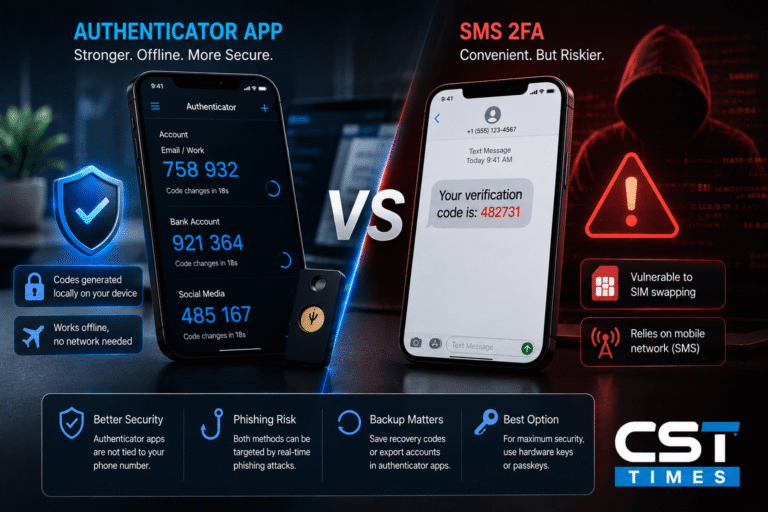
When you log in with SMS-based 2FA, the service sends a one-time numeric code by text message to your registered phone number. You type that code into the login screen to prove you have access to the phone number on file.
The code travels over the public mobile telephone network — the same infrastructure used for ordinary calls and texts. That detail is central to why security researchers view this method with caution: the code isn’t tied to your device, it’s tied to your phone number, and phone numbers can be redirected.
How Authenticator Apps Work
Authenticator apps (such as Google Authenticator, Microsoft Authenticator, Authy, or a password manager’s built-in generator) use a method called TOTP — Time-based One-Time Password. When you first set up 2FA, the service and the app exchange a shared secret key, usually via a QR code. From that point on, both the app and the service independently generate a new numeric code every 30 seconds, using that shared secret plus the current time.
Because the code is generated locally on your device rather than transmitted over a network, there is nothing for an attacker to intercept in transit. The app works even in airplane mode, since it never needs to send or receive the code itself.
Security Comparison
| Factor | SMS 2FA | Authenticator App |
|---|---|---|
| How the code reaches you | Sent over the mobile network | Generated locally on your device |
| Vulnerable to SIM swapping | Yes | No |
| Works without cell signal or Wi-Fi | Yes (needs signal to receive text) | Yes (fully offline) |
| Vulnerable to real-time phishing | Yes | Yes |
| Setup difficulty | Very easy — just a phone number | Slightly more setup (scan a QR code) |
| Recovery if you lose your phone | Usually easy (new SIM, same number) | Harder unless you saved backup codes |
| NIST classification | Restricted authenticator | Not restricted |
Why SMS 2FA Is Considered Weaker
SIM Swapping
In a SIM swap, an attacker convinces a mobile carrier — often through social engineering or an insider — to transfer a victim’s phone number onto a SIM card the attacker controls. Once that happens, any SMS codes meant for the victim go straight to the attacker, who can then reset passwords and take over accounts.
This isn’t a theoretical risk. The FBI’s Internet Crime Complaint Center (IC3) tracked SIM swapping as its own reported crime category and recorded 982 complaints with $25,983,946 in reported losses in 2024, following $48.8 million in 2023 and a peak of $72.6 million in 2022. <cite index=”12-1″>Complaint volume and losses have both declined from the 2022 peak, though the FBI’s 2025 Internet Crime Report lists SIM swapping among the top five reported cyber threat categories that year.</cite> These figures likely understate the true scale, since many victims report the resulting account takeover or financial loss rather than the SIM swap itself.
Number Porting and Network-Level Interception
Beyond SIM swapping, attackers can exploit number-porting processes to move a victim’s number to a new carrier entirely, or in rarer cases exploit weaknesses in the SS7 signaling protocol that underlies global telecom networks to intercept texts without touching the victim’s SIM at all.
No Device Binding
An SMS code proves you control a phone number — not that you control a specific, trusted device. That distinction is exactly what carrier-level attacks exploit.
Where Authenticator Apps Still Fall Short
Authenticator apps solve the interception problem, but they don’t make 2FA unbeatable. The main weakness is real-time (“adversary-in-the-middle”) phishing: if a fake login page captures your password and prompts you for your authenticator code at the same moment, an attacker can relay both to the real site within the code’s 30-second validity window and log in as you.
Losing your phone without saved backup codes is the other common pain point — recovery can be slower than simply getting a new SIM card, which is one reason services still offer SMS as a fallback option even when an app is your primary method.
What Security Agencies Recommend
NIST, the U.S. agency that sets federal digital identity standards, has grown steadily more cautious about SMS-based authentication over time. Early drafts of its guidelines flagged SMS delivery as a method to phase out; the current version, SP 800-63B (Revision 4), formally designates <cite index=”5-1″>SMS and phone-network one-time passcodes as a “restricted authenticator,”</cite> a distinct category that comes with extra conditions for any organization that continues to rely on it. <cite index=”5-1”>SMS OTP remains allowed, but the bar for using it safely is now higher, and organizations are expected to actively mitigate known risks such as SIM swaps, number porting, and interception.</cite>
That’s a meaningfully different stance from an outright ban, and it reflects a practical reality: many organizations, including federal agencies, still don’t have a fully deployed alternative. But the direction of the guidance is clear — treat SMS as a fallback, not a first choice, wherever a stronger option is available.
Which One Should You Use?
For most people, the practical answer is: use an authenticator app wherever a service offers one, and keep SMS only as a backup recovery option rather than your primary method. For accounts holding significant financial value — banking, cryptocurrency exchanges, primary email — go a step further if the service supports it.
- Baseline protection: SMS 2FA. Better than no second factor at all, but the weakest widely available option.
- Solid, free upgrade: Authenticator app (TOTP). Removes the SIM-swapping risk entirely and works offline.
- Strongest available: Hardware security keys or passkeys. These use public-key cryptography tied to the specific website, which makes them resistant to phishing in a way that six-digit codes — from either SMS or an app — cannot fully match, since a code can still be phished and relayed even when it can’t be intercepted in transit.
Quick Checklist
- Turn on 2FA on every account that offers it — any method beats none.
- Where possible, switch primary 2FA from SMS to an authenticator app.
- Save the backup/recovery codes a service gives you when you enable app-based 2FA, and store them somewhere other than your phone.
- Ask your mobile carrier to add a PIN or passcode requirement on your account to make SIM swapping harder.
- For your most sensitive accounts (primary email, banking, crypto), check whether the service supports a hardware security key or passkey and enable it.
- Never enter a 2FA code — from SMS or an app — on a page you reached by clicking a link in an unexpected email or text.
Final Thoughts:
SMS and authenticator apps both meet the basic definition of two-factor authentication, but “meets the definition” and “equally secure” are not the same thing. SMS codes travel over infrastructure that can be redirected without ever touching your device, which is exactly what SIM-swapping attacks exploit. Authenticator apps close that specific gap by generating codes locally, though they remain exposed to real-time phishing — a limitation only hardware keys and passkeys meaningfully solve.
The practical takeaway: don’t let a working 2FA setup sit unquestioned. If your most important accounts are still relying on SMS as the primary method, moving to an authenticator app is a free, ten-minute upgrade — and moving to a passkey or security key where it’s offered is the strongest step after that.
CST Times View
At CST Times, we recommend treating 2FA as a security layer, not a one-time setup. SMS-based 2FA is better than using no second factor, but an authenticator app provides stronger protection against SIM-swapping attacks without adding much cost or complexity. For your most important accounts, use an authenticator app where available, and choose a passkey or hardware security key when the service supports it.
The goal is simple: use the strongest authentication method that is practical for your accounts and keep your recovery options secure.
Also Read:
What Is 2FA? Meaning, Codes, and How to Activate It (Beginner’s Guide)
How to Create a 100% Secure Binance Account in 2026
What Is an AI Chip? How AI Chips Work and Why They Matter
What Is a Semiconductor? The Complete Guide to How Chips Work
Best AI Tools for Productivity in 2026: The Complete Guide
FAQs
Is SMS 2FA Better Than No 2FA at All?
Yes. Even with its weaknesses, SMS 2FA blocks the vast majority of automated password-based attacks. The concern is relative to stronger options, not that SMS provides no protection.
Can Someone Hack an Authenticator App Remotely?
Not directly, since the code never leaves your device over a network. The realistic attack path is phishing: tricking you into typing a valid code into a fake login page in real time, or gaining physical or remote access to the device itself.
What Happens If I Lose My Phone With My Authenticator App on It?
Most services let you generate backup codes when you first set up app-based 2FA — save these somewhere safe. Many authenticator apps also support encrypted cloud backup or account transfer to a new device.
Are Passkeys Replacing Both SMS and Authenticator Apps?
Passkeys are increasingly offered as a phishing-resistant alternative to one-time codes, and major platforms have expanded support for them. They aren’t universally available yet, so authenticator apps remain a widely supported, strong option in the meantime.
Disclaimer
This article is for general informational purposes and does not constitute personalized security or financial advice. Account security needs vary; consider your own risk profile when choosing an authentication method.
References
- FBI IC3 SIM Swap Public Service Announcement — FBI IC3 — Criminals Increasing SIM Swap Schemes to Steal Millions of Dollars from US Public
- NIST SP 800-63B-4 Official Page —NIST — SP 800-63B-4: Digital Identity Guidelines: Authentication and Authenticator Management
Follow us on Social media :
About The Author

Haseeb Jabbar
Haseeb Jabbar writes about crypto, finance, technology, and AI at CST Times, sharing research-based guides, timely news, and free tools and calculators to help readers make informed decisions.

Pingback: What Is an Authenticator App? A Beginner’s Guide