
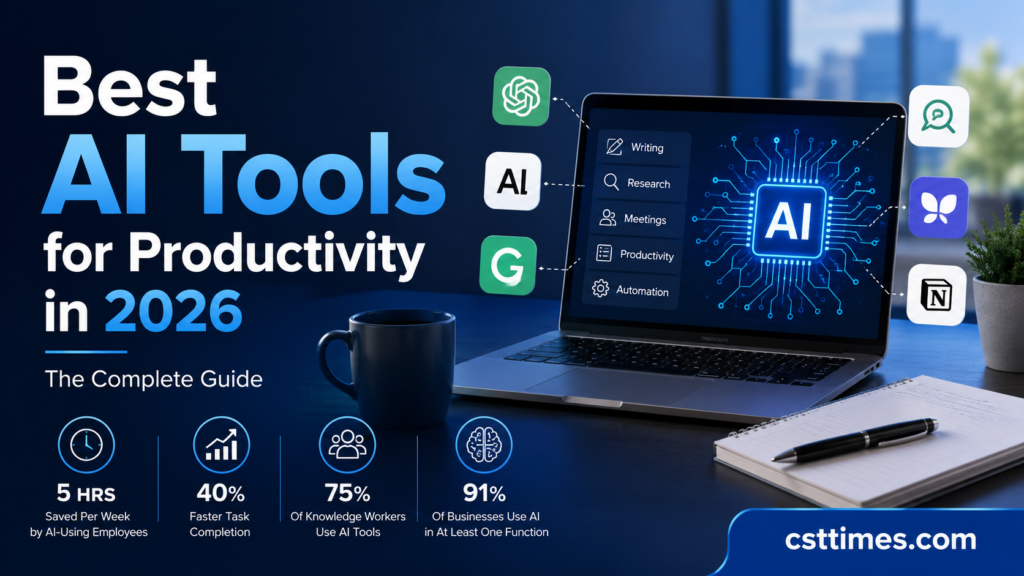
Best AI Tools for Productivity in 2026: The Complete Guide
Quick Summary
Work is getting busier every day. Emails keep coming, meetings take time, and deadlines do not wait. The good news is that Artificial intelligence can now help with many everyday tasks, and you do not need any technical skills to use it. That is why more people are using AI tools to make work easier and save time. These tools can help with writing, planning, organizing tasks, and handling small daily jobs faster. Instead of doing everything by hand, you can let AI do some of the hard work for you. In this guide, the CST Times team shares the best AI tools for productivity in 2026 that are simple, useful, and worth trying.
Table of Contents
ToggleWhy AI Productivity Tools Matter Right Now
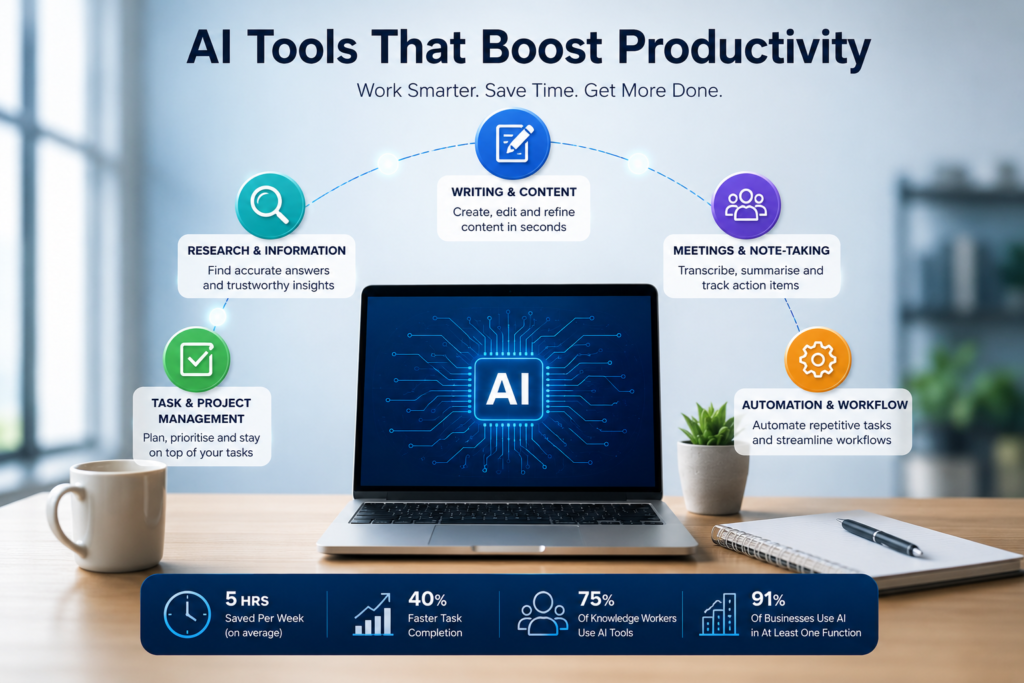
It is no longer a question of whether to use AI at work. It is a question of which tools to use and how to get the most out of them. The data says it all.
75%
(Microsoft Work Trend Index, 2024)
5–7 hrs
40%
(Professional writing study, 2025)
91%
(McKinsey State of AI, 2025)
Sources: Microsoft Work Trend Index 2024; McKinsey State of AI 2025; St. Louis Federal Reserve 2025; SmartBrief Analysis 2026
CST Times — Perspective
At CST Times, we have been tracking AI adoption across industries for the past two years. What strikes us most is not just the speed of adoption — it is how quickly the tools have matured. In 2023, most AI tools felt experimental. In 2026, they have become as normal as checking your inbox. The challenge now is not finding an AI tool. It is finding the right one for your specific work.
CST Times tested dozens of tools over the past several months, focusing on everyday usability, value for money, and real-world impact. The picks in this guide are tools that delivered consistent results — not just impressive demos.
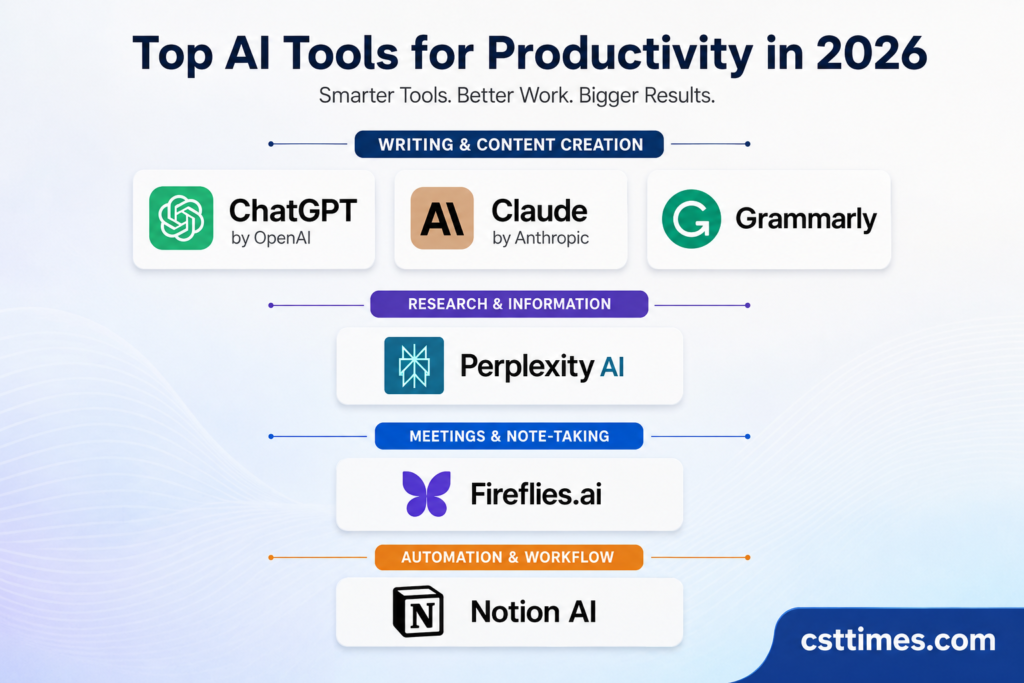
🖊️ Best AI Tools for Writing & Content Creation
Whether you are writing a professional email, drafting a report, or creating marketing content, these AI writing tools take care of the hardest parts — the blank page and the endless edits.
🤖 ChatGPT Editor’s Pick
Developed by OpenAI, ChatGPT is the most widely recognised AI tool in the world. You simply type what you need — an email, a summary, a list of ideas — and it produces a clear, well-written response in seconds. It handles everything from brainstorming to drafting long reports to answering complex research questions.
The newer versions also include memory (it remembers past conversations), web browsing, and image generation in one place. For most people, ChatGPT is the logical starting point for getting into AI tools.
🧠Claude by Anthropic
Claude is built for people who need careful, detailed, and thoughtful responses. It is particularly strong at reading and analysing long documents — upload a PDF or paste a lengthy report, and Claude will summarise, explain, or answer questions about it with impressive accuracy. It also excels at complex writing tasks like technical documentation, research synthesis, and structured business reports.
Claude’s conversational style feels natural and honest. It is less likely to “make things up” than some competitors, which makes it a reliable choice for professional work where accuracy matters.
✍️Grammarly
Grammarly is the go-to AI assistant for anyone who writes professionally. It does not just fix spelling mistakes — it rewrites unclear sentences, adjusts tone for different audiences, and flags phrases that might come across the wrong way. It works quietly in the background across Gmail, Google Docs, Microsoft Word, LinkedIn, and most websites you use daily.
In 2026, Grammarly’s AI features have become even stronger, offering full-paragraph rewrites and personalised tone suggestions based on who you are writing to.
💡 CST Times Quick Tip:
For day-to-day writing, install Grammarly as a browser extension — it runs silently and catches errors you might miss even after rereading. Use ChatGPT or Claude for bigger tasks like writing a full article or summarising a 50-page document.
🔍 Best AI Tools for Research & Information
🌐Perplexity AI Best for Research
Think of Perplexity as a smarter search engine. Instead of giving you ten blue links, it gives you a direct, sourced answer to your question — pulled from real websites in real time. Every answer includes citations so you can check where the information came from.
It draws from an average of 42 sources per query, according to internal testing data, which means you get a balanced view rather than a single opinion. Researchers, students, journalists, and analysts use it to save hours that would otherwise go into manual Googling.
🎙️ Best AI Tools for Meetings & Note-Taking
Meetings are one of the biggest time drains in any workplace. These tools record, transcribe, and summarise your meetings automatically so you can actually focus on the conversation — not on scribbling notes.
🦋 Fireflies.ai
Fireflies joins your online meetings as a bot, records the audio, transcribes everything that is said, and then produces a neat summary with action items highlighted. It integrates with Zoom, Google Meet, Microsoft Teams, and Webex.
What sets Fireflies apart is its ability to identify who said what, search through old meeting transcripts using keywords, and even track whether key topics came up across multiple meetings — useful for managers tracking project updates.
🦦 Otter.ai
Otter.ai is excellent for anyone who needs live, real-time transcription during meetings. It displays a live transcript on screen as people talk, which is useful for accessibility or simply keeping track of a fast-moving conversation.
After the meeting, it generates a summary, highlights key phrases, and lets team members leave comments directly on the transcript. It also integrates tightly with Zoom, making it a natural choice for remote teams.
🗂️ Best AI Tools for Organisation & Task Management
📓Notion AI Best Workspaces
Notion is already one of the most popular workspace tools in the world — used for notes, project management, wikis, and documents. Notion AI takes it further by letting you ask questions directly about your workspace content, auto-fill databases, generate summaries of pages, and even draft new documents from a simple text prompt.
For teams that already live in Notion, the AI add-on is a natural upgrade. Instead of hunting through dozens of pages, you simply ask “What are our open tasks for this week?” and get a clear answer instantly.
✅ClickUp AI
ClickUp is a full project management platform — think tasks, timelines, docs, and team communication all in one place. ClickUp AI adds a layer of automation and intelligence on top: it can write task descriptions, generate project timelines, create status update reports, and summarise what your team has been working on.
It is a strong choice for medium-sized teams that manage projects across multiple departments and want AI that understands project context rather than just producing generic text.
🎨 Best AI Tools for Design & Visual Content
🖌️Canva AI
Canva was already the world’s most popular design platform for non-designers. Its AI features — including Magic Write, Magic Design, and AI image generation — now let you turn a plain text prompt into a finished social media post, presentation slide, or marketing banner in under two minutes.
Canva AI is especially useful for small business owners, social media managers, and content teams who need professional-looking visuals without a graphic designer on staff. The output quality is consistent, and the learning curve is nearly zero.
Best For: Social Media, Presentations & Marketing GraphicsFree Tier: ✅ YesPaid Plan: $15/mo (Pro)
⚙️ Best AI Tools for Automation
Automation tools connect your apps together and handle repetitive tasks so you never have to. These are particularly powerful for business owners, virtual assistants, and operations teams.
⚡Zapier Best Automation
Zapier connects over 7,000 apps — Gmail, Slack, Trello, Shopify, HubSpot, Google Sheets, and more — and lets them talk to each other automatically. For example: every time you receive a new lead on your website, Zapier can add that contact to your CRM, send them a welcome email, and notify your sales team on Slack — all without you lifting a finger.
With the addition of AI-powered “Zaps,” you can now include steps that draft emails, classify incoming data, or generate summaries automatically within your workflow — no coding required.
📊 Quick Comparison: Best AI Productivity Tools at a Glance
Tool | Best For | Free Plan | Starting Price | Difficulty |
| ChatGPT | Writing, Research, Brainstorming | ✅ Yes | $20/mo | ⭐ Easy |
| Claude | Deep Analysis, Long Documents | ✅ Yes | $20/mo | ⭐ Easy |
| Grammarly | Editing & Communication | ✅ Yes | $12/mo | ⭐ Easy |
| Perplexity AI | Research & Fact-Checking | ✅ Yes | $20/mo | ⭐ Easy |
| Notion AI | Workspace & Team Organisation | ✅ Yes | $10/mo add-on | ⭐⭐ Medium |
| Fireflies.ai | Meeting Notes & Transcription | ✅ Yes | $10/mo | ⭐ Easy |
| Otter.ai | Live Transcription | ✅ Yes | $16.99/mo | ⭐ Easy |
| Canva AI | Design & Visual Content | ✅ Yes | $15/mo | ⭐ Easy |
| ClickUp AI | Project Management | ✅ Yes | $7/mo per user | ⭐⭐ Medium |
| Zapier | Workflow Automation | ✅ Yes (5 Zaps) | $19.99/mo | ⭐⭐ Medium |
How to Choose the Right AI Tool for You
With so many options, it is easy to feel overwhelmed. Here is a simple way to think about it: do not start with the tool. Start with the problem.
Ask yourself: Where do I lose the most time each week?
If you spend too long writing or editing content, start with Grammarly and ChatGPT. If your meetings are unproductive or poorly documented, try Fireflies. If your team’s tasks and projects are scattered, Notion AI or ClickUp AI will bring order to the chaos. If you repeat the same manual tasks day after day, Zapier can likely automate them.
🎯 CST Times Rule:
Do not try to adopt ten tools at once. Pick two or three that directly solve your biggest time drains, use them consistently for 30 days, and only then consider adding more. Overloading yourself with AI tools creates its own kind of friction — and that defeats the entire point.
Consider your budget carefully
Almost every tool on this list has a free tier that is genuinely usable. Start there. Upgrade only when the free version becomes a real bottleneck. A study by TaskROI (2026) found that the average AI tool delivers $4.40 in recovered time for every $1 spent — but only when people actually use the tool regularly. Paying for something you do not use has zero ROI.
Final Thoughts from CST Times
AI tools for productivity are not magic. They will not fix a bad process or make up for unclear communication in your team. But when used with intention, they genuinely change the pace and quality of work. They give you back time — and in 2026, time is the one resource everyone is short on.
The ten tools in this guide — ChatGPT, Claude, Grammarly, Perplexity, Notion AI, Fireflies, Otter.ai, Canva AI, ClickUp AI, and Zapier — represent the strongest and most accessible options across every major area of productivity work. Most are free to try. All of them are worth your time to explore.
CST Times — Perspective
Our final word of advice: do not wait for the “perfect” moment to start. Every week you delay is another week of tasks that an AI could have already handled for you. Pick one tool from this guide today. Use it every day for a week. Then come back and pick a second one.
Productivity does not come from doing more. It comes from working on what actually matters. AI tools give you the space to do exactly that.
Stay ahead of the curve.
Get the latest AI tools, reviews, and productivity tips delivered straight to your inbox — every week from the CST Times editorial team.
Click the article for more Information:
Are Local AI Models Better Than Cloud-Based AI? A Detailed Report
Follow us on Social media for daily Updates:
About The Author

Haseeb Jabbar
Haseeb Jabbar writes about crypto, finance, technology, and AI at CST Times, sharing research-based guides, timely news, and free tools and calculators to help readers make informed decisions.
