Sent Crypto to Wrong Network? BEP20 vs ERC20: What to Do Now
Introduction:
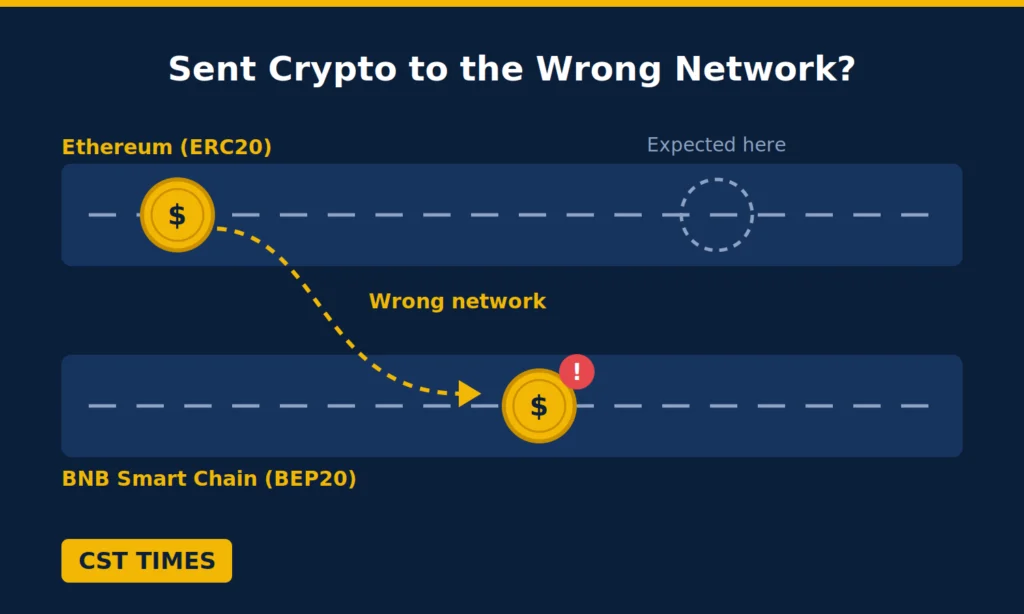
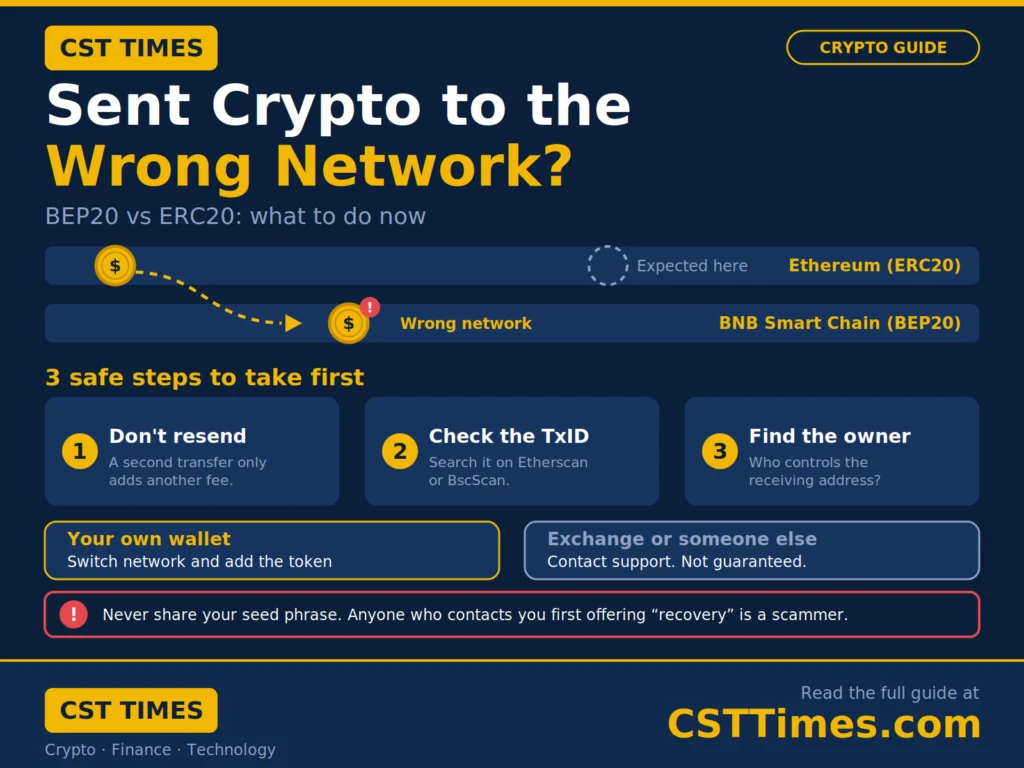
If you sent crypto to wrong network, your tokens left on one blockchain while the receiving wallet or exchange expected them on another, such as Ethereum (ERC20) instead of BNB Smart Chain (BEP20). Both networks use the same 0x address format, so the mistake is easy to make, and the funds usually still exist on the blockchain. This guide explains how BEP20 and ERC20 differ, what to do in the first few minutes, and which of three common situations you are in.
Table of Contents
ToggleQuick Summary:
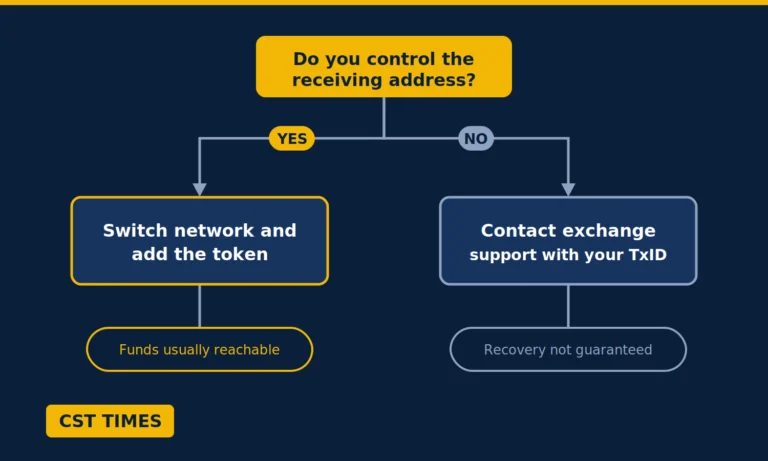
Whether you can get your crypto back depends on one thing: who holds the private key to the receiving address. If it is your own wallet, recovery is often possible. If it belongs to an exchange or another person, it depends on their policy and is never guaranteed.
Key Takeaways
- Stay calm, do not resend the funds, and check the transaction on a block explorer first.
- If you control the receiving address, switch your wallet to the network you used and add the token.
- If the address belongs to an exchange or someone else, contact them with your transaction hash. Fees and refusals are common.
- Anyone who contacts you first offering “recovery,” or asks for your recovery phrase, is a scammer.
BEP20 vs ERC20: What is the Difference?
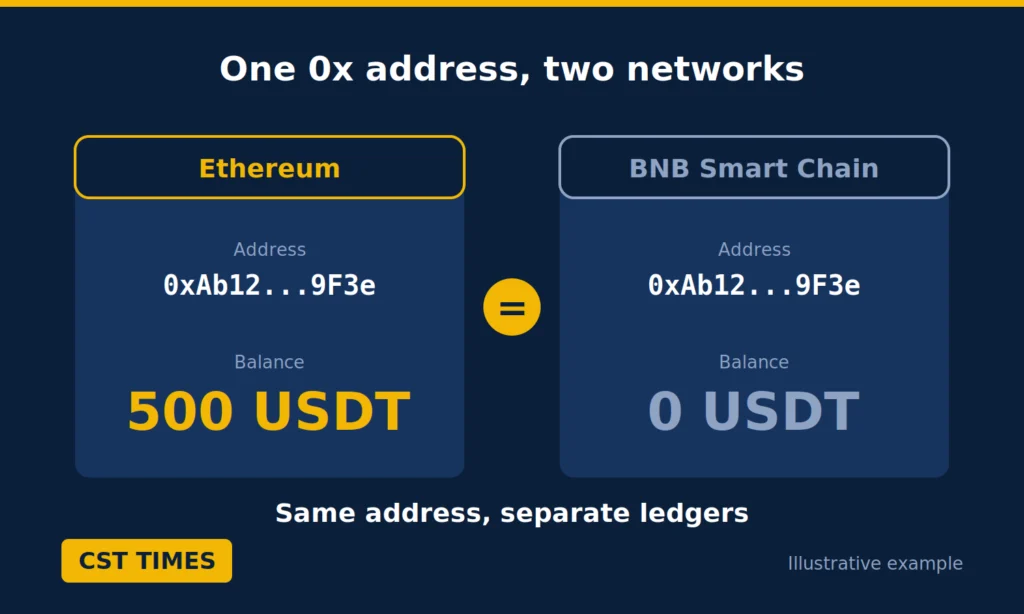
ERC20 is the token standard used on Ethereum, while BEP20 is the standard used on BNB Smart Chain (BSC). They run on separate blockchains with separate records, so a token sent on one network does not show up on the other, even though your 0x address looks identical on both.
A token standard is a set of rules that tells wallets and apps how a token behaves. BNB Chain’s documentation describes BEP20 as an extension of Ethereum’s ERC-20 standard, and a BNB Chain guide says the two are practically identical in design because both chains are EVM-compatible, meaning they run the Ethereum Virtual Machine. That is why mix-ups happen: your wallet creates the same address on both chains, but your balance is recorded separately on each.
Feature | ERC20 | BEP20 |
|---|---|---|
Blockchain | Ethereum | BNB Smart Chain |
Network fee (gas) paid in | ETH | BNB |
Address format | 0x… | 0x… (same) |
Typical fees | Higher | Lower |
Mix-ups usually start on a withdrawal or deposit screen where the wrong network was selected.
What to Do First: 3 Safe Steps
Pause first. A confirmed blockchain transaction generally cannot be reversed, so the goal is to understand what happened, not to rush a fix.
- Do not send the funds again. A second transfer only adds another fee and another chance for error.
- Check the transaction on a block explorer. Use Etherscan for Ethereum and BscScan for BNB Smart Chain, and paste your transaction hash (TxID). If you are unsure which network you used, search both.
- Write down the details. Save the TxID, network, receiving address, token, and amount. Support teams ask for them, and BNB Chain’s recovery guide lists the TxID, both addresses, the network, and the token name.
Then ask one question: who controls the receiving address? The answer decides which scenario applies.
3 Recovery Scenarios for Crypto Sent to the Wrong Network
Your options depend on who controls the receiving address. If it sits in a wallet you own, you can usually reach the funds yourself. If it belongs to an exchange or another person, you must ask them for help, and they may say no.
Scenario 1: Your Wallet Supports Both Networks
This is the best case. If you own the receiving address in a wallet such as MetaMask or Trust Wallet, the tokens are not gone. As BNB Chain’s guide explains, they are sitting on a different network.
- Open your wallet and switch to the network you actually sent on, such as Ethereum Mainnet or BNB Smart Chain.
- If the balance does not appear, copy the token’s contract address from that network’s block explorer.
- In MetaMask, choose Import tokens, open the Custom token tab, and paste the address, as MetaMask’s support page explains.
- Confirm the balance, then send the tokens onward on the correct network.
You need a little of that chain’s gas token to move them: ETH on Ethereum or BNB on BNB Smart Chain. If the address has none, first send a small amount of it to that address on the same network.
Scenario 2: Your Address, but Your Wallet Supports Only One Network
If the address is yours but your wallet supports only one chain, import your recovery phrase or private key into a wallet that supports both. BNB Chain’s guide lists this route: import the address, switch to the network you used, add the token contract if needed, then send the tokens to your main wallet.
Take care: your recovery phrase controls everything in that wallet. Import it only into a trusted app from its official source, never into a website or a link someone sends you, and never share it. Our seed phrase guide explains how to keep it safe.
Scenario 3: An Exchange or Someone Else’s Address
If the tokens went to an exchange deposit address or another person’s wallet, you cannot recover them yourself because you do not hold the keys. BNB Chain’s guide says to contact the platform with your transaction details, and warns that many platforms decline when the network is unsupported.
Policies differ by exchange and region, fees may apply, and nothing is guaranteed. For example, Binance.US’s Deposit Recovery tool is for supported assets and charges a 5% processing fee, while its unsupported asset policy says deposits on unsupported networks cannot be recovered. If you sent funds to another person’s wallet, only they can send them back. Policies change, so check your exchange’s official help page first.
Beware of Crypto Recovery Scams
If someone contacts you first to offer crypto recovery, or asks for your recovery phrase, treat it as a scam. Genuine support teams do not message you out of the blue, and none needs your phrase.
After a loss, “recovery experts” often turn up in search results, comments, and direct messages. The FTC warns that scammers offer recovery services for a fee or ask for financial information, and that paying either means your money will be gone. The FBI’s Internet Crime Complaint Center (IC3) adds that law enforcement does not charge victims a fee to investigate crimes.
Watch for these red flags:
- They contact you first.
- They want an upfront fee, or payment by gift card, crypto, or wire transfer.
- They promise guaranteed results.
- They ask for your recovery phrase or private key.
If this happens, stop contact and report it at ReportFraud.ftc.gov or ic3.gov in the US, or to your local authorities elsewhere. Fake payment screenshots are another common trap, which our Binance P2P scams guide covers.
How to Avoid Sending to the Wrong Network
Match the network on both sides, send a small test first, and paste the address instead of typing it.
- Match the network on both ends. The network you pick when withdrawing must be the one the receiving wallet or exchange uses for that deposit.
- Send a small test first. Binance.US recommends confirming a test transaction arrives before sending more.
- Copy and paste the address. Paste it or scan a QR code, then compare the first and last characters.
- Check supported networks. Read the exchange’s list of supported assets and networks before depositing.
A wrong network is not the only way to lose tokens. Our rug pull guide shows how to spot projects that can drain investors’ money, and our guide on why a crypto transaction is pending covers transfers that are slow rather than misdirected.
Final Thoughts:
If you sent crypto to the wrong network, spend the first minutes checking the transaction and finding out who controls the receiving address, not chasing quick fixes. Your own wallet gives you the best chance, an exchange may or may not help, and unsolicited recovery offers are best ignored. Next time, send a small test first.
FAQs
Can I recover crypto sent to the wrong network?
Sometimes. If you control the receiving address, you can usually reach the funds by switching your wallet to the network you used, or by importing your recovery phrase into a wallet that supports it. If the address belongs to an exchange or another person, recovery depends on their policy and is not guaranteed.
Is BEP20 the same as ERC20?
No. They are similar token standards on different blockchains: ERC20 runs on Ethereum and BEP20 runs on BNB Smart Chain. Both use the same 0x address format, but balances are recorded separately on each network, so a token sent on one will not appear on the other.
Do I need gas to move the tokens back?
Yes. Moving tokens on a network requires that network’s gas token: ETH on Ethereum or BNB on BNB Smart Chain. If your recovered address has none, send a small amount of the correct gas token first, and check the fee estimate in your wallet before confirming.
Can a “recovery expert” get my crypto back?
Be very careful. The FTC says scammers offer recovery services for a fee and that paying them means your money will be gone, and the FBI notes that law enforcement does not charge victims for investigations. Contact your wallet provider or exchange directly through its official channels instead.
How long does exchange recovery take, and does it cost anything?
It varies by exchange and region. Some charge a fee, such as the 5% processing fee Binance.US lists for its Deposit Recovery tool, and some decline unsupported networks entirely. Check your exchange’s official help page and ask support for the current process, fees, and timeline.
Disclaimer
This article is for educational and informational purposes only and is not financial, investment, or legal advice. Crypto assets are volatile, and you can lose some or all of your money. Always do your own research.
