What Is MFA? Multi-Factor Authentication Explained
What is MFA? Multi-Factor Authentication, Explained
Quick Summary:
MFA stands for multi-factor authentication. It’s a login process that asks you to prove who you are in more than one way before you can get into an account — usually a password plus something else, like a code sent to your phone or your fingerprint.
Table of Contents
ToggleThe idea is simple: a password alone is just one piece of proof, and passwords get stolen, guessed, and reused constantly. MFA adds a second (or third) checkpoint, so a stolen password alone isn’t enough for someone to break in.
Key Takeaways
- MFA requires two or more independent proofs of identity — something you know, something you have, or something you are — before granting access to an account.
- Microsoft’s own security research has found that turning on MFA blocks the overwhelming majority of automated account-takeover attempts, with figures in its published reports ranging from roughly 99.2% to over 99.9%.
- Not all MFA is equally strong. Text-message and email codes can be intercepted or phished, while hardware security keys and passkeys are built to resist those attacks.
- Government cybersecurity agencies, including the U.S. Cybersecurity and Infrastructure Security Agency (CISA), now urge organizations to move toward “phishing-resistant” MFA built on the FIDO2/WebAuthn standard.
- Passkeys — a newer, passwordless technology — are increasingly seen as the successor to traditional MFA rather than just another factor bolted onto a password.
Table of Contents
- What Is MFA?
- What Does MFA Mean?
- How MFA Works: The Three Factor Types
- Common MFA Methods, Ranked From Weakest to Strongest
- MFA vs. Two-Factor Authentication (2FA): What’s the Difference?
- Why MFA Matters
- The Weak Spot: MFA Fatigue and Phishing Attacks
- Passkeys: Where Authentication Is Headed Next
- Quick Checklist: How to Turn On MFA
- Final Thoughts
What is MFA?
MFA stands for multi-factor authentication. It adds extra protection to your account by asking you to prove your identity in two or more ways instead of relying only on a password. For example, after entering your password, you may need to enter a code from an authenticator app, use a security key, or confirm your identity with your fingerprint. This makes it much harder for someone to access your account even if they know your password.
What Does MFA Mean?
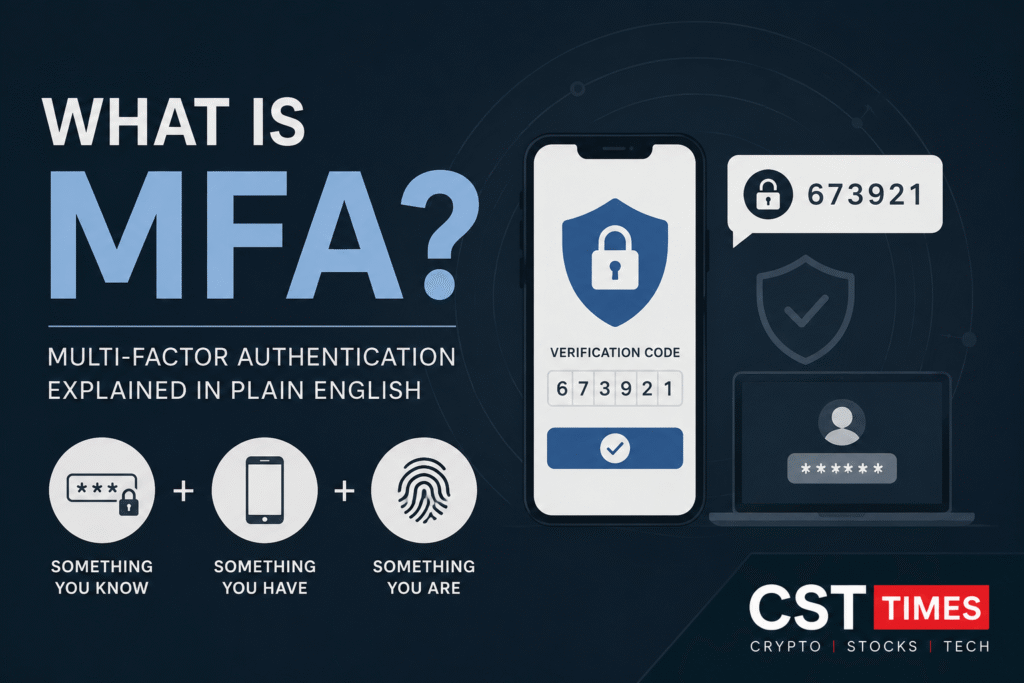
MFA is short for multi-factor authentication. “Authentication” is just the technical word for proving you’re really the person you claim to be. “Multi-factor” means that proof comes from more than one independent source, or factor.
Security experts group those factors into three categories:
- Something you know — a password, PIN, or answer to a security question.
- Something you have — a phone, a hardware security key, or a smart card.
- Something you are — a fingerprint, face scan, or other biometric trait.
A real-world example most people already use: withdrawing cash from an ATM. Your debit card is something you have, and your PIN is something you know. That combination is a simple, everyday form of multi-factor authentication.
How MFA Works: The Three Factor Types
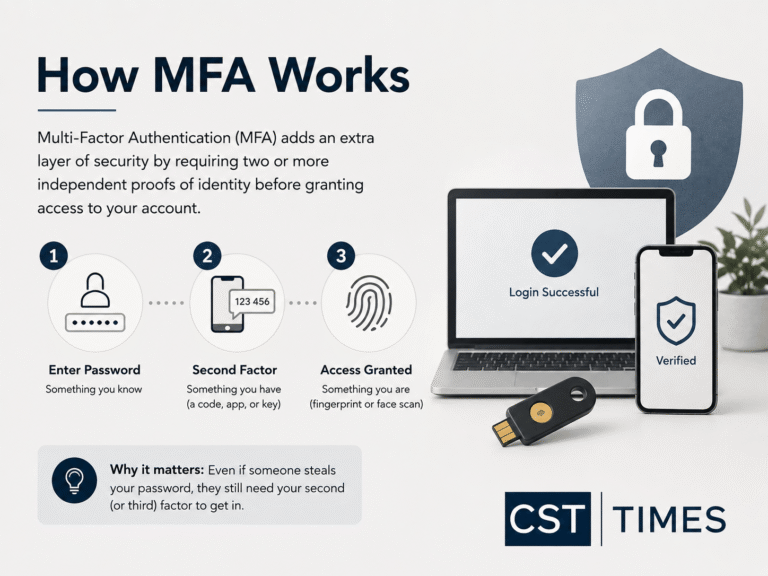
When you log into an account with MFA turned on, the system checks at least two of those three categories before letting you in. Here’s what that typically looks like online:
- You enter your password (something you know).
- The service asks for a second factor — a code from an app, a tap on your phone, or a security key (something you have), or a fingerprint or face scan (something you are).
- Only after both checks pass do you get access.
Because the two factors come from different sources, an attacker who only has your password is stuck. They’d also need physical access to your phone, security key, or fingerprint — a much harder thing to steal remotely.
Common MFA Methods, Ranked From Weakest to Strongest
Not every MFA method offers the same level of protection. Some can be tricked by a well-designed phishing page; others are built so that trick doesn’t work at all.
Method | How it works | Phishing resistance | Good to know |
|---|---|---|---|
| SMS or email one-time code | A code is texted or emailed to you at login | Weakest | Vulnerable to SIM-swapping and can be phished on a fake login page |
| Authenticator app code (TOTP) | An app like Google Authenticator generates a changing 6-digit code | Moderate | Better than SMS, but the code can still be typed into a phishing site |
| Push notification | You tap “approve” on a phone alert instead of typing a code | Moderate | Convenient, but vulnerable to “MFA fatigue” attacks |
| Push notification with number matching | You must enter a number shown on-screen into the push prompt | Better | Blocks accidental taps, but still doesn’t verify the actual website |
| Hardware security key / passkey (FIDO2/WebAuthn) | A physical key or device-stored credential cryptographically confirms the exact website you’re logging into | Strongest | Recommended by CISA and NIST as the current gold standard |
Biometrics like fingerprint or face scans usually work alongside one of these methods — they’re commonly used to unlock the device or approve the second step, rather than standing alone as a full authentication system.
MFA vs. Two-Factor Authentication (2FA): What's the Difference?
The terms get used interchangeably, but there’s a small distinction. Two-factor authentication, or 2FA, is a specific type of MFA that always uses exactly two factors — most often a password plus a code. MFA is the broader category and can include two, three, or more layers of verification. In everyday conversation, and in most apps’ settings menus, “2FA” and “MFA” mean roughly the same thing.
Why MFA Matters
The case for MFA comes down to a simple fact: passwords fail constantly. People reuse them across sites, choose weak ones, and fall for phishing emails that hand credentials straight to attackers. Once a password leaks in one breach, criminals try it everywhere else — a technique called credential stuffing.
Microsoft, which monitors sign-in activity across its cloud services, has reported that accounts without MFA make up the vast majority of the ones that end up compromised, and that switching MFA on blocks the overwhelming majority of automated takeover attempts. The exact figure varies slightly between its published reports — some cite over 99.2%, others over 99.9% — but the pattern is consistent: MFA closes off nearly all of the easiest, most common attacks.
The stakes go beyond a single hacked email account. The 2021 ransomware attack on Colonial Pipeline, which disrupted fuel supply across the U.S. East Coast, traced back to a single compromised VPN account that had no MFA protecting it. One missing second factor was enough to let attackers in.
The Weak Spot: MFA Fatigue and Phishing Attacks
MFA dramatically raises the bar for attackers, but it isn’t unbeatable — and the weaker methods have real, documented weaknesses.
SMS codes can be intercepted through SIM swapping, where a criminal convinces a mobile carrier to move your phone number to a device they control. NIST’s most recent digital-identity guidelines, finalized in 2025, steer organizations away from relying on SMS as an authentication factor for higher-security accounts for exactly this reason.
Push notifications introduced a different problem known as “MFA fatigue” or push bombing. An attacker who already has your password sends repeated login approval requests to your phone, hoping you’ll eventually tap “approve” just to make the notifications stop — even though you never tried to log in. This tactic has been used in several high-profile corporate breaches over the past few years, which is part of why security agencies now recommend push methods that require entering a matching number rather than a single tap.
Phishing sites can trick people into typing both their password and a one-time code into a fake login page that instantly relays that information to the real site. This works against passwords, SMS codes, and authenticator app codes alike, because none of those methods actually verify which website is asking for them.
Hardware security keys and passkeys close this gap. They use cryptography that checks the exact web address you’re logging into, so even a perfect-looking fake site can’t trick them into handing over a valid credential. That’s why CISA calls this category “phishing-resistant MFA” and recommends it as the strongest option available today.
Passkeys: Where Authentication Is Headed Next
Passkeys are the newest step in this evolution. Instead of adding a second factor on top of a password, a passkey replaces the password entirely with a cryptographic key pair stored on your device and unlocked with your fingerprint, face, or device PIN.
In 2026, the UK’s National Cyber Security Centre announced it will begin recommending passkeys wherever a service supports them, based on research finding that passkeys resist the phishing, credential-reuse, and session-hijacking attacks that still work against traditional MFA methods like SMS codes, app codes, and standard push approvals. Major platforms including Apple, Google, and Microsoft already support passkeys, and adoption is expected to keep growing as more websites add support.
Passkeys aren’t a separate category from MFA so much as a stronger way of doing it — they combine something you have (your device) with something you are (your biometric unlock) in a single, phishing-resistant step.
Quick Checklist: How to Turn On MFA
- Start with your email account first — it’s usually the recovery path for everything else you own.
- Look in account or security settings for “two-factor authentication,” “2FA,” or “multi-factor authentication.”
- Choose an authenticator app, security key, or passkey over SMS when the option is available.
- Save your backup codes somewhere safe and offline, in case you lose access to your second factor.
- Turn MFA on for banking, email, and any work accounts first, then extend it to social media and other logins.
Final Thoughts:
MFA isn’t a perfect shield, but it remains one of the single most effective steps anyone can take to protect an account. The gap between having MFA and not having it is enormous — and the gap between weak MFA (like SMS codes) and strong MFA (like passkeys or security keys) is growing more important every year as attackers adapt. Turning on the strongest option your accounts support is a small amount of setup for a large amount of protection.
FAQs
Is MFA the same as two-factor authentication (2FA)?
Almost. 2FA is a specific form of MFA that uses exactly two factors. MFA can involve two or more, but in practice the terms are often used to mean the same thing.
Can MFA be hacked?
Yes, though it’s much harder than breaking a password alone. Weaker methods like SMS codes and standard push approvals can be phished or bypassed through techniques like SIM swapping or MFA fatigue attacks. Phishing-resistant methods like hardware keys and passkeys are designed to close those gaps.
What happens if I lose the device I use for MFA?
Most services let you generate backup codes when you set up MFA — store these somewhere safe, like a password manager or a printed copy in a secure location. Without them, you may need to go through an account recovery process to regain access.
Is SMS-based MFA safe to use?
It’s far better than no MFA at all, but it’s the weakest widely available option because phone numbers can be hijacked through SIM swapping. Use an authenticator app, security key, or passkey instead when a service offers the choice.
Do I need MFA for personal accounts, or just for work?
Both. Personal email, banking, and social media accounts are common targets for credential theft, and the same protections that matter at work matter just as much at home.
Disclaimer
This article is for general information only and does not constitute financial, investment, or legal advice. CST Times is not affiliated with or endorsed by Revolut.
References
- https://www.cisa.gov/MFA — Cybersecurity and Infrastructure Security Agency, “More than a Password”
- Microsoft Security Blog, “One simple action you can take to prevent 99.9 percent of attacks on your accounts”
- Microsoft Learn, “Plan for mandatory Microsoft Entra multifactor authentication (MFA)”.
Follow us on Social media :
About The Author

Haseeb Jabbar
Haseeb Jabbar writes about crypto, finance, technology, and AI at CST Times, sharing research-based guides, timely news, and free tools and calculators to help readers make informed decisions.
