
Why Is My Crypto Transaction Pending? How to Check and Fix It
Quick Summary:
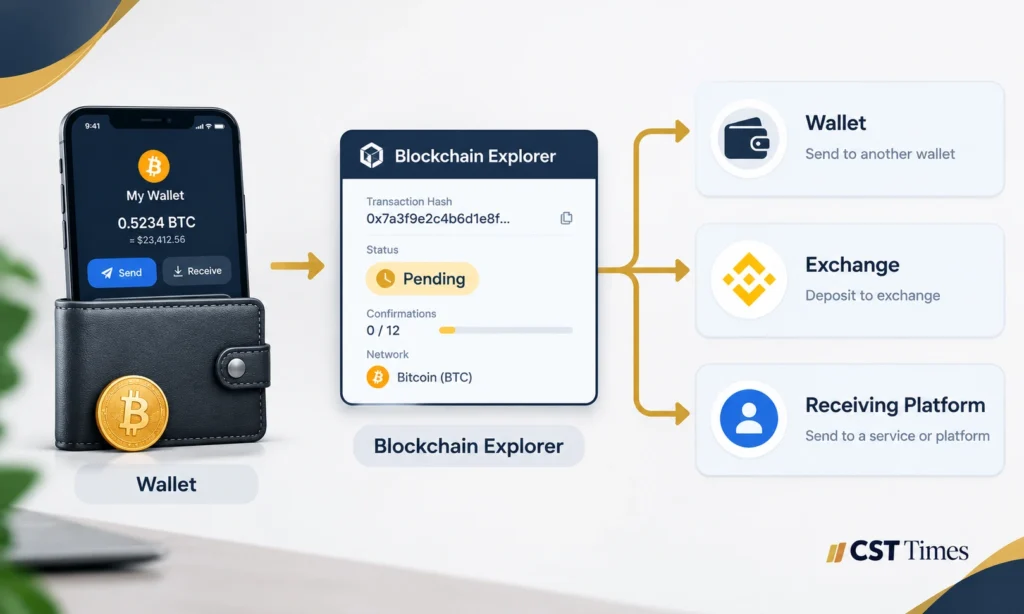
A crypto transaction pending means your payment has not yet reached its final status, either on the blockchain or inside an exchange account. The delay can sit in four places (the blockchain, your wallet, an exchange or the receiving platform), each with a different fix and a different person who can act. This guide gives you seven steps to find where your transfer is stuck and fix it without risking your funds.
Table of Contents
ToggleKey Takeaways
- A crypto transaction pending is a label, not a diagnosis. Check the hash on a blockchain explorer first.
- A blockchain confirmation and an exchange credit are different events.
- Only whoever controls the transaction, your wallet or the exchange, can speed it up.
- Never resend the payment, share your recovery phrase or pay a stranger to “unlock” funds.
Step 1: Find Out Which Kind of Pending You Have
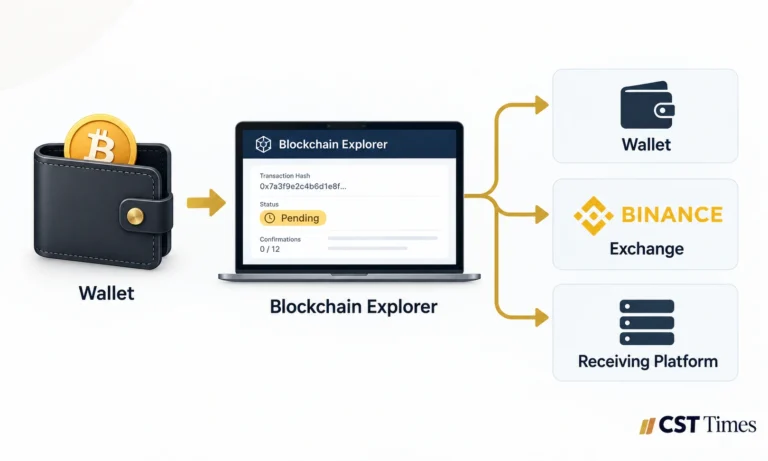
Pending can mean four different things: a blockchain transaction waiting for a block, an exchange withdrawal still processing, a confirmed transaction not yet credited, or a purchase that has not completed. Identify which applies, since each has a different fix and owner.
- Waiting on the blockchain. Your wallet broadcast the payment, but no validator has included it in a block. Ethereum’s documentation describes a pool of pending transactions.
- Exchange withdrawal processing. The platform may still be running checks, so the blockchain may not know about it. Revolut lists internal assessment, broadcasting and on-chain confirmation as separate stages.
- Confirmed but not credited. The blockchain has finished, but the receiving platform has not shown the funds.
- Purchase not completed. A card or bank purchase must clear before crypto is sent, so there is usually no hash yet.
Step 2: Get Your Transaction Hash
A transaction hash, also called a TxID or transaction ID, is a long string of characters that identifies one payment on the blockchain. Copy it as text from your wallet’s transaction details or your exchange’s withdrawal history, because one wrong character returns no result.
Do not confuse it with a wallet address, which identifies an account rather than one payment. Exchanges may show a hash only after broadcasting.
Step 3: Read the Status on a Blockchain Explorer
A blockchain explorer is a public website that shows what a network has recorded. Paste the hash into the explorer for the network you used, such as Etherscan for Ethereum or mempool.space for Bitcoin, because the wrong explorer returns nothing.
- Pending or unconfirmed: no block includes it yet. Compare your fee with the current fee rate on the explorer.
- Success or confirmed: it is in a block. Any remaining delay sits with the receiver.
- Failed: it was processed but did not complete, and the funds normally stay in your wallet.
- Not found: wrong explorer or network, a typo, a payment never broadcast, or one that was dropped from the network.
Step 4: Crypto Transaction Pending? Match What You See to the Cause
Use this table to match your result to a cause and an owner. The key question is not only why it is stuck but who controls the next move: you, the sending exchange or the receiving platform.
| What You See | Possible Reason | What to Do | Who Can Fix It |
|---|---|---|---|
| No hash after a long wait | Exchange still processing, or payment never left | Check the status stage, then contact support | Exchange or wallet provider |
| Explorer shows pending, low fee | Fee below what is being accepted now | Wait, or speed up if your wallet offers it | You, if you hold the keys |
| New payment stuck behind an older one | Ethereum-style networks use nonce order | Resolve the oldest pending transaction first | You, through your wallet |
| Explorer shows nothing | Wrong explorer, typo, never broadcast or dropped | Recheck hash and network, then ask the sender’s support | Sending wallet or exchange |
| Confirmed, receiving app says pending | Receiver waits for more confirmations or checks | Wait, then contact the receiver with the hash | Receiving platform |
| Confirmed, wallet shows no balance | Wrong network, hidden token or different address | Verify address and network; add the token | You or wallet support |
| Confirmed, exchange has not credited it | Below minimum, missing memo or tag, or wrong network | Contact the exchange with hash, network, amount | Receiving exchange (recovery not guaranteed) |
| Bridge: source done, destination empty | Bridge still relaying, or destination step failed | Track the source hash on the bridge’s tracker | Bridge support |
If you have no transaction hash
Exchange withdrawals get a hash only after internal checks and broadcasting, so a missing hash early on is normal. With a wallet, check the activity list for a failed or unsent entry. Do not resend until you know the first attempt did not go out.
If it is confirmed but you see no balance
Check the receiving address and network on the explorer. If both match yours, the issue is display: BNB Chain’s documentation notes some tokens do not show until you import them manually. If either differs, stop and contact support.
If a deposit is waiting, below the minimum or missing a memo
Platforms credit deposits after their own confirmation count: Kraken lists four confirmations, about 40 minutes, for Bitcoin (as of October 2026). Revolut says deposits below the minimum wait until you top up on the same network. A memo (or tag) is an extra identifier some platforms need beside the address; Binance.US warns a transfer without it may not arrive.
If a bridge transfer has not arrived
A bridge transfer is at least two steps: a transaction on the source chain, then a delivery on the destination chain. Trackers such as LI.FI’s status tool report them separately, so use the source hash and contact the bridge’s support if it stalls.
Step 5: Choose a Safe Fix
network activity, then use a speed-up or fee-replacement feature only if you control the transaction. What is possible depends on the blockchain and who holds the keys.
- Wait and check. A low fee may sit until the queue clears, and Bitcoin Core’s default setting drops unconfirmed transactions after 14 days. A dropped transaction is, in Etherscan’s words, as if it never happened, but confirm that on the explorer before sending again.
- Speed up. If you control the wallet, you can often re-send the payment with a higher fee. MetaMask notes that this raises what you spend. On Bitcoin, wallets supporting replace-by-fee (RBF) do the same job.
- Cancel. Unchained notes that Bitcoin transactions cannot be cancelled outright. On Ethereum-style networks, a cancel is a same-nonce replacement sent to yourself, and MetaMask says it only works while the transaction is still pending.
- Exchange withdrawals. If an exchange holds the keys, your wallet’s speed-up and cancel tools cannot reach the transaction. Only the exchange can act.
Step 6: Contact the Right Support Team
When a crypto transaction pending status will not clear, contact whoever controls the next step: the sending wallet or exchange if the payment is stuck or missing from the blockchain, and the receiving platform if the explorer shows it confirmed. Send the transaction hash, network, amount, both addresses and the time sent.
A blockchain confirmation means the network recorded the payment; an exchange credit means the platform added it to your balance. Revolut treats the explorer as the source of truth and points users to the receiving wallet’s provider when a completed transfer has not arrived.
Step 7: Avoid the Mistakes That Lose Funds
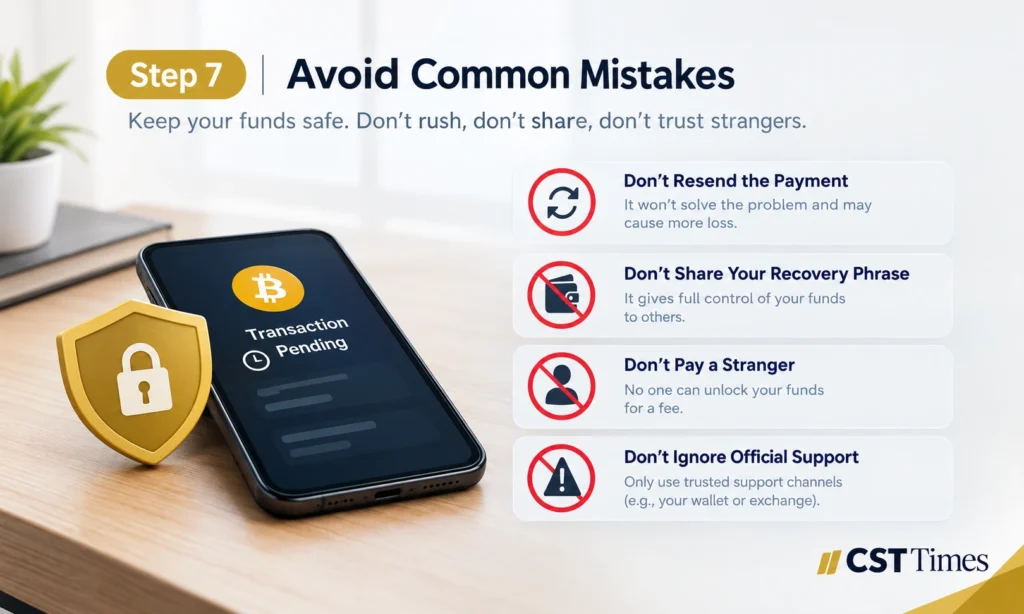
Three mistakes cause most real losses: sending the payment again before checking the first, sharing your recovery phrase or private keys, and paying a stranger who promises to unlock stuck crypto.
- Do not resend blindly. The first payment may still confirm, leaving a duplicate. Ethereum-style transactions carry a nonce, a sequential number, and MetaMask advises working from the oldest pending one.
- Never share your recovery phrase or private keys. Ethereum.org says no legitimate service, support agent or website will ask for them.
- Do not pay “unlockers.” Anyone who contacts you first and offers to free or recover crypto for a fee is a scammer. The FBI warns that recovery fraudsters charge up-front fees, and ethereum.org says genuine staff avoid private channels.
Final Thoughts
A crypto transaction pending is often a delay rather than a loss, but only the explorer can tell you. Work out whether the blockchain, your wallet or the receiving platform is holding it up, then use the fix that matches who controls the transaction. If unsure, wait and contact support instead of sending again.
FAQs
Is my pending crypto lost?
Usually not. A transaction that never confirms can be dropped, which Etherscan describes as if it never happened. The real risks are wrong addresses, wrong networks, missing memos and scams, and recovery is never guaranteed.
How do I check a crypto transaction pending status without an exchange account?
Copy the transaction hash from your wallet or from whoever sent the payment, then paste it into the explorer for that network. Explorers are public, so no login is needed. If you only have a wallet address, search that address and review its recent activity.
Can I cancel a pending crypto transaction?
Sometimes. Bitcoin transactions cannot be cancelled outright, though a wallet with replace-by-fee can swap in a higher-fee version. Ethereum-style wallets can attempt a cancel while the transaction is pending. Exchange withdrawals cannot be cancelled from your own wallet.
What should I do if I have no transaction hash?
Check where the transfer started. In a wallet, look for a failed or unsent entry. On an exchange, read the withdrawal status and let processing finish. If no hash appears, contact support with the amount, network and time, and do not resend.
Why is my confirmed crypto not showing in my wallet?
Usual causes are a different network, a token your wallet does not display by default, or a different receiving address. Check both on the explorer, then add the token manually if needed. If an exchange has not credited it, contact the exchange.
Disclaimer
This article is for educational and informational purposes only and is not financial, investment, or legal advice. Crypto assets are volatile, and you can lose some or all of your money. Always do your own research.
Follow us on Social media :
About The Author

Haseeb Jabbar
Haseeb Jabbar writes about crypto, finance, technology, and AI at CST Times, sharing research-based guides, timely news, and free tools and calculators to help readers make informed decisions.
